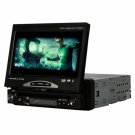
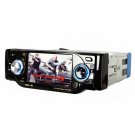
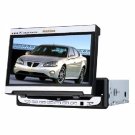
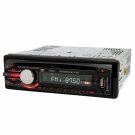
This is a Car Audio Stereo Player, they are not only small and versatile, but also provide the user with hours of music listening time without having to keep changing CD´s or tapes. This car MP3 player comes with LCD screen, featuring clear and beautiful. Just plug USB drive or SD card into car MP3 player, you can listen to the wonderful music at anytime and anywhere.
Features
DVD player, radio function, simple, practical, cheap, quality assured, stable performance
Body with full - color feature stylish and generous, a bright body colors shine
With USB interface and SD card interface, easy audio and video entertainment
DVD, VCD, CD, MP3 and other optical discs, CD - ROM can play, superior sound quality
Specifications
Product Name 7" LED TFT + Bluetooth + DVD / TV / AM / FM player / receiver DA765
Power Consumption 18W as the average power consumption
Frequency Response CD 20 - 20KHz, DVD20 - 44KHz
Signal - noise Ratio ≥80dB
Audio Output Peak Power 60W x 4
Video System PAL / NTSC / SECAM
Usable Power Supply 12 - 15V
Display Unit 7" color LCD
Usable Laser Discs 12cm or 8cm DVD, CD, VCD, CD - R, DVCD, MP3, SVCD, CDG, JPEG, MP4, etc
Weight 2662g / 93.9oz
Dimensions 18 x 5 x 20cm / 7.09" x 1.97" x 7.87" (L x W x H)
Warranty 1 Year
Package Includes
1 x 7" HD Digital Screen Car DVD Player DVD + FM / AM + TV + BLUETOOTH + IPOD 765
1 x Remote Control
1 x Usb Transfer
2 x Connecting Wires
2 x Ro3 Size AAA 1.5V Battery
2 x Machine Dismantlement Hook
1 x Manual
Extra Info
FAQ
Q1: Automatically reset when shut it down
Reason: Incorrect connection between ACC and B+ line
Solution: Please check and correct the connecting line between ACC and B+ line
Q2: Fail to start the device
Reason: The system power or the car fuse is fusing, the voltage exceeds the rated voltage and the system offers auto protection
Solution: Get professional help to change the fuse with correct model, adjust the voltage and reset system by pressing the reset key on the panel.
Q3: Too bark screen or black screen
Reason: The front big light is usually used, and there is some problem about the machine system.
Solution: turn off the car big light, lightly click the reset key on the panel to system reset
Q4: The panel buttons are not functional
Reason: Some button of the panel is blocked
Solution: Check the buttons of the panel
Q5: no image but sound, warming picture appears
Reason: The screen goes into dormant state, braking controlling is not connect
Solution: Just click the touch screen, check if the braking detection line is matched with an error.
Q6: Too high volume at starting up
Reason: bad settings by user
Solution: Adjust the volume knob to the appointed, immediately long press all in one key SMART DIAL with 5 seconds, the needed volume number can be locked
Q7: The touch screen function is not good
Reason: Not correct the touch screen
Solution: Press the MENUE, go into the main menu-go into other setting options-choose the touch screen to correct, according to the screen, click the white point one by one
Q8: Disks can´t be played normally
Reason: the grade of the disk exceeds the grade set of the locking functions, disk region codes are incompatible because the disk is put on the reverse side.
Solution: Adjust the setting grade of locking function, use the compatible disk with the car DVD, keep the side with label upward when insert the disk
Q9: The disk can´t be put in.
Reason: There has been some disk in the DVD
Solution: exit the disk in the DVD and put a new one
Q10: The interruption in the process of reading a disk
Reason: The disk is dirt or scratched, the files or the records are damaged
Solution: clean or exchange disk
Q11: Can not switch sound track during playing a disk
Reason: bad setting
Solution: At playing the disk, if the audio set is at 5.1 sound track, the sound track can´t be switched, click the top left of the screen to go into the audio setting of the main menu, and switch the 5.1 sound track to the stereo 2 sound track.
Q12:Can not go into GPS navigation
Solution: Check if the GPS map card has a poor contact, suggest pulling out the SD card under the circumstance of power off.
Q13: GPS function without satellite network can´t fix positions.
Solution: Check if the end of the GPS receiving antenna is connected with the DVD normally, if the car is stamped with blow-out disc recently, because the material of the blow-out disc may cause signal attenuation further to affect positioning, moreover, check if the antenna lead has any damaged.